Can I opt-out or add one or more newsletters?
To update your newsletter settings, please click here.
To opt-out:
– Sign-in to Bloomberg.com – you must be signed in to manage your newsletters
– Navigate to the Newsletter page
– Locate the newsletter, if you cannot locate it, choose Control+F to search by title
– Once you have located the newsletter, Click the Signed up button
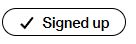
– The message will change to “Unsubscribe” and you will be removed from the newsletter
– This message will appear with the newsletter name as confirmation of the removal from the list
